
Integration
Walk through a sandbox Trading API integration with the current API paths and implementation details required by the live contract.
Trading API — Integration
ProphetX provides an API-based integration for its trading platform. This guide walks through a sample sandbox integration workflow.
API Status Page
End Integration Demo
Note: If you are already in contact with the Prophet Exchange team, you can get a sandbox account by contacting a team member via Slack or email [email protected].
For more information on how to become an API user, you can also contact Doug. This guide uses the sandbox environment, which includes demo funds for testing.
Register at ProphetX Registration
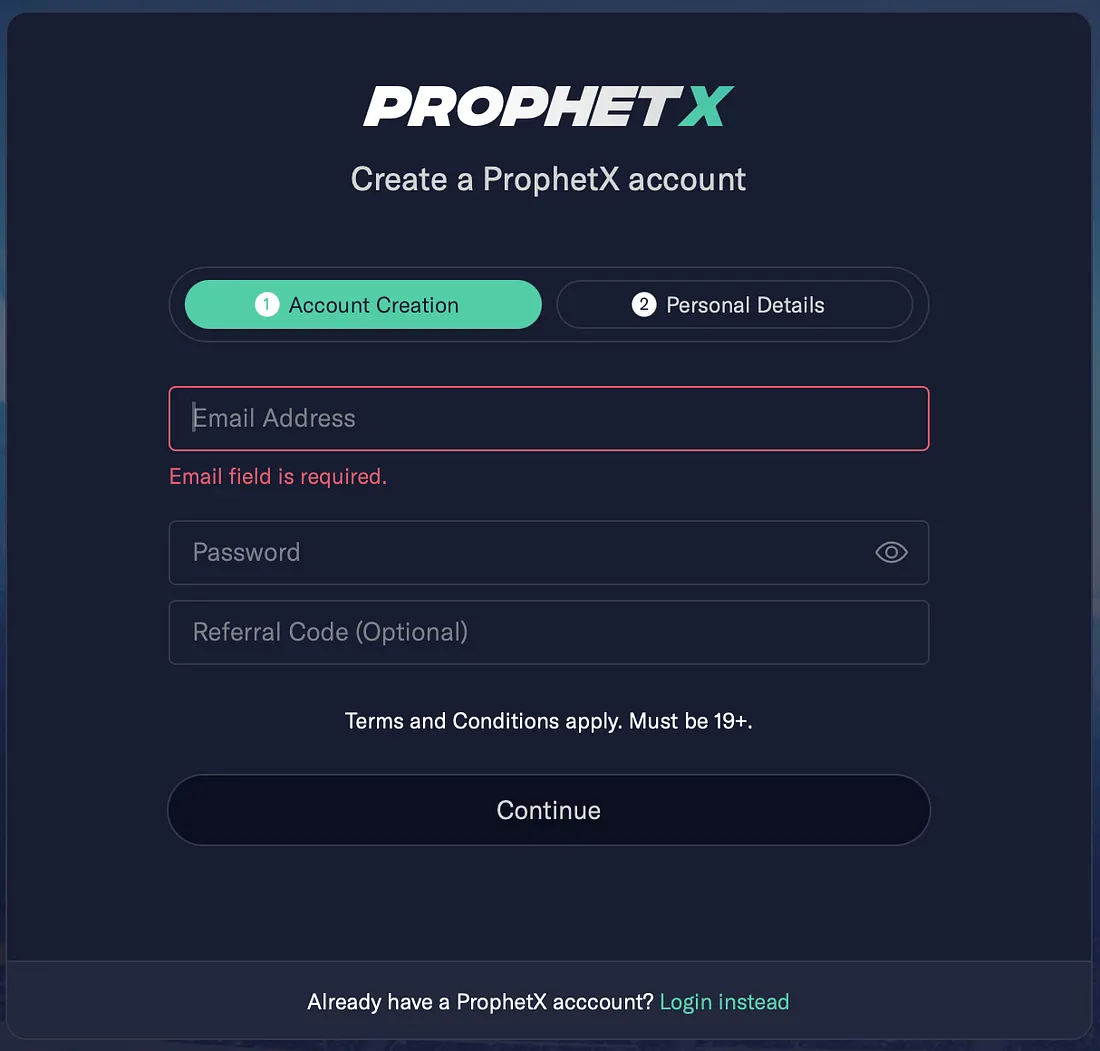
Since this is a sandbox environment, we do not need to worry if the birthday or address is wrong, but do make sure the phone number is correct as 2FA is needed even for the sandbox registration.
Contact us to request them to set your account to be an API account and add some testing funds. You can reach out to [email protected] or [email protected].
Generate API Tokens
After your account is approved as an API account, you are ready to generate tokens for the API integrations.
-
Start a new session and log into ProphetX Sandbox with your credentials.
-
Click the top right toggle, navigate to the Menu side, and click “API integration” in the dropdown.
-
Click “create a new token”. You can create multiple tokens, and each token can have multiple sessions. This lets you use different tokens for different integration processes and revoke one token without affecting other integrations. In future updates, each token will also support different permissions for more specific access control.
Integration Steps:
GitHub code: API Integration Guide
API documents:
- Sandbox: API Documentation
Keys needed:
- Access Key: part of API key
- Secret Key: another part of the API key
- Base URL: Unique for each environment. Sandbox: https://api-ss-sandbox.betprophet.co/partner
Use participant, order, price, and quantity in your interface. Keep the literal /partner base path in your implementation until the API contract changes.
Major Steps:
- Exchange a session key by using Access Key and Secret Key
- (Optional) Get your current cash balance
- Seed events and markets for the tournaments you want to trade
- Subscribe to web sockets to get updates on events, market liquidity, prices, and more
- Start placing and canceling orders
Step 1: Exchange Session Keys
Endpoint: partner/auth/login
Before we can call any other APIs, we need to exchange a short-lived (20 minutes) access token, and a relatively long-lived (3 days) refresh token using the access key and secret key combination. This access token needs to be provided for all following transactions, including subscribing to web sockets.
Example code:
def mm_login(self) -> dict:
    """
    Login to MM API, and store session keys in self.mm_session
    """
    login_url = urljoin(self.base_url, config.URL['mm_login'])
    request_body = {
        'access_key': self.mm_keys.get('access_key'),
        'secret_key': self.mm_keys.get('secret_key'),
    }
    response = requests.post(login_url, data=json.dumps(request_body))
    if response.status_code != 200:
        logging.debug(response)
        logging.debug("Please check your access key and secret key to the user_info.json")
        raise Exception("login failed")
    mm_session = json.loads(response.content)['data']
    logging.info(mm_session)
    self.mm_session = mm_session
    logging.info("MM session started")
    return mm_session
Authentication in all APIs is through the header:
def __get_auth_header(self) -> dict:
    return {
        'Authorization': f'Bearer '
                         f'{self.mm_session["access_token"]}',
    }
Step 2: (Optional) Get Your Current Cash Balance
Endpoint: partner/mm/get_balance
Use this endpoint to retrieve your available cash balance.
Example code:
def get_balance(self):
    balance_url = urljoin(self.base_url, config.URL['mm_balance'])
    response = requests.get(balance_url, headers=self.__get_auth_header())
    if response.status_code != 200:
        logging.error("failed to get balance")
        return
    self.balance = json.loads(response.content).get('data', {}).get('balance', 0)
    logging.info(f"still have ${self.balance} left")
Step 3: Seed Events, Markets, and Prices Based on Tournaments
Endpoints:
partner/mm/get_tournamentspartner/mm/get_sport_eventspartner/mm/get_marketspartner/mm/get_multiple_markets
The get_tournaments endpoint returns a list of supported tournaments. Refer to “API documents” for the available options. The tournament ID is required to call the second endpoint get_sport_events and retrieve a list of events that are currently open for trading. You will also use the same tournament ID in the next step when subscribing to web socket channels for updates. In this example, the code finds a target tournament and then retrieves all active events for that tournament.
Example code:
def seeding(self):
    """Get the price ladder, as only orders with prices in the ladder are allowed.
    Get all tournament, event, and market details for each event.
    :return:
    """
    logging.info("start to get price ladder")
    price_ladder_url = urljoin(self.base_url, config.URL['mm_price_ladder'])
    price_response = requests.get(price_ladder_url, headers=self.__get_auth_header())
    if price_response.status_code != 200:
        logging.info("not able to get valid prices from api, fall back to local constants")
        self.valid_price = constants.VALID_PRICE_BACKUP
    else:
        self.valid_price = price_response.json()['data']

    # initiate available tournaments/sport_events
    # tournaments
    logging.info("start seeding tournaments/events/markets")
    t_url = urljoin(self.base_url, config.URL['mm_tournaments'])
    headers = self.__get_auth_header()
    all_tournaments_response = requests.get(t_url, headers=headers)
    if all_tournaments_response.status_code != 200:
        raise Exception("not able to seed tournaments")
    all_tournaments = json.loads(all_tournaments_response.content).get('data', {}).get('tournaments', {})
    self.all_tournaments = all_tournaments

    # get sport events and markets of each event
    event_url = urljoin(self.base_url, config.URL['mm_events'])
    multiple_markets_url = urljoin(self.base_url, config.URL['mm_multiple_markets'])
    for one_t in all_tournaments:
        if one_t['name'] in config.TOURNAMENTS_INTERESTED:
            self.my_tournaments[one_t['id']] = one_t
            events_response = requests.get(event_url, params={'tournament_id': one_t['id']}, headers=headers)
            if events_response.status_code == 200:
                events = json.loads(events_response.content).get('data', {}).get('sport_events')
                if events is None:
                    continue
                event_ids = ','.join([str(event['event_id']) for event in events])
                # instead of getting markets of one event at a time,
                # using get_multiple_markets to batch get markets of a list of events
                multiple_markets_response = requests.get(multiple_markets_url, params={'event_ids': event_ids},
                                                   headers=headers)
                if multiple_markets_response.status_code == 200:
                    map_market_by_event_id = json.loads(multiple_markets_response.content).get('data', {})
                    for event in events:
                        event['markets'] = map_market_by_event_id[str(event['event_id'])]
                        self.sport_events[event['event_id']] = event
                        logging.info(f'successfully retrieved markets for event {event["name"]}')
                else:
                    logging.info(f"failed to get markets for event ids: {', '.join([str(event['event_id']) for event in events])}")
            else:
                logging.info(f'skip tournament {one_t["name"]} as api request failed')
    logging.info("Done, seeding")
    logging.info(f"found {len(self.my_tournaments)} tournaments, ingested {len(self.sport_events)} "
                 f"events from {len(config.TOURNAMENTS_INTERESTED)} tournaments")
Step 4: Subscribe to Web Sockets
Subscribe to web sockets to get updates on events and market liquidity. WebSocket is powered by Pusher (Pusher).
Get connection-config:
- Use endpoint
/partner/websocket/connection-configto get connection info (it will include key, app_id, and cluster_id used to create connection to pusher in below section)
Endpoints: partner/mm/pusher
To receive event and market liquidity updates, subscribe to the web socket and let the platform push those updates to you. There are two primary channels to subscribe to:
- Broadcast channel
(private-broadcast-service=3-device_type=5), where the same information is pushed to all Market Makers. - Private channel
(private-service=3-device_type=5-user=<partnerId>), where participant-specific order and trade updates are pushed through.
You do not need to construct these two channels explicitly. Call the endpoint partner/mm/pusher directly to retrieve both channels and the events available in each one.
The current channel name still includes <partnerId>. Treat that as a legacy API identifier rather than a UI term.
In this example, I subscribe to all tournament updates, but only provide a callback for the tournaments I care about by binding to a specific message topic. In this case, MLB has ID 109, so I bind to tournament_109.
Example code:
def _get_channels(self, socket_id: float):
    """
    Get a list of all channels and topics of each channel that you are allowing to subscribe to.
    Even though there are public and private channels, the channel id is unique for each API user.
    """
    auth_endpoint_url = urljoin(self.base_url, config.URL['mm_auth'])
    channels_response = requests.post(auth_endpoint_url,
                                      data={'socket_id': socket_id},
                                      headers=self.__get_auth_header())
    if channels_response.status_code != 200:
        logging.error("failed to get channels")
        raise Exception("failed to get channels")
    channels = channels_response.json()
return channels.get('data', {}).get('authorized_channel', [])def _get_connection_config(self):
"""
Get websocket connection configurations. We are using Pusher as our websocket service,
and only authenticated channels are used.
More details can be found in https://pusher.com/docs/channels/using_channels/user-authentication/.
The connection configuration is designed for stability and infrequent updates.
However, in the unlikely event of a Pusher cluster incident,
we will proactively migrate to a new cluster to ensure uninterrupted service.
To maintain optimal connectivity, we recommend users retrieve the latest connection configuration
at least once every thirty minutes. If the retrieved configuration remains unchanged,
no further action is required. In the event of a new configuration being discovered,
users should update their connection accordingly.
"""
connection_config_url = urljoin(self.base_url, config.URL['websocket_config'])
connection_response = requests.get(connection_config_url, headers=self.__get_auth_header())
if connection_response.status_code != 200:
logging.error("failed to get connection configs")
raise Exception("failed to get channels")
conn_configs = connection_response.json()
return conn_configs
def subscribe(self):
"""
1. Get Pusher connection configurations
2. Connect to Pusher websocket service by providing authentication credentials
3. Wait for the websocket connection successful handshake and then execute connect_handler in the callback
4. Subscribe to public channels on selected topics
5. Subscribe to private channels on all topics
"""
connection_config = self._get_connection_config() # not working yet, getting wrong config
key = connection_config['key']
cluster = connection_config['cluster']
auth_endpoint_url = urljoin(self.base_url, config.URL['mm_auth'])
auth_header = self.__get_auth_header()
auth_headers = {
"Authorization": auth_header['Authorization'],
"header-subscriptions": '''[{"type":"tournament","ids":[]}]''',
}
self.pusher = pysher.Pusher(
key=key,
cluster=cluster,
auth_endpoint=auth_endpoint_url,
auth_endpoint_headers=auth_headers,
)
def public_event_handler(*args, **kwargs):
print("processing public, Args:", args)
print(f"event details {base64.b64decode(json.loads(args[0]).get('payload', '{}'))}")
print("processing public, Kwargs:", kwargs)
def private_event_handler(*args, **kwargs):
print("processing private, Args:", args)
print(f"event details {base64.b64decode(json.loads(args[0]).get('payload', '{}'))}")
print("processing private, Kwargs:", kwargs)
# We can't subscribe until we've connected, so we use a callback handler
# to subscribe when able
def connect_handler(data):
socket_id = json.loads(data)['socket_id']
available_channels = self._get_channels(socket_id)
broadcast_channel_name = None
private_channel_name = None
private_events = None
for channel in available_channels:
if 'broadcast' in channel['channel_name']:
broadcast_channel_name = channel['channel_name']
else:
private_channel_name = channel['channel_name']
private_events = channel['binding_events']
broadcast_channel = self.pusher.subscribe(broadcast_channel_name)
private_channel = self.pusher.subscribe(private_channel_name)
for t_id in self.my_tournaments:
event_name = f'tournament_{t_id}'
broadcast_channel.bind(event_name, public_event_handler)
logging.info(f"subscribed to public channel, event name: {event_name}, successfully")
for private_event in private_events:
private_channel.bind(private_event['name'], private_event_handler)
logging.info(f"subscribed to private channel, event name: {private_event['name']}, successfully")
self.pusher.connection.bind('pusher:connection_established', connect_handler)
self.pusher.connect()Step 5: Start Placing and Canceling Orders
Endpoints:
partner/mm/place_orderpartner/mm/cancel_orderpartner/mm/place_batch_orderspartner/mm/cancel_batch_orders
The place_order/place_batch_orders endpoint requires a unique external_id for each request. If the same external_id is used for different transactions, only the first request will succeed. The remaining requests that use the same external_id will be rejected. This prevents the same order from being submitted multiple times.
The cancel_order/cancel_batch_orders endpoint requires the same external_id used to place the order, plus the order_id returned from the place_order endpoint.
Because this is a sandbox environment used to test a sample but working integration, this example only submits random $1 orders on random events in the moneyline market and then randomly cancels some of them after 8 seconds.
Example code:
def start_playing(self):
    """
    Example showing how to submit orders using the single-order REST API, place_order,
    and the batch order REST API, place_multiple_order.
    :return: Order ids returned from the API are stored in a class object for order cancellation examples.
    """
    logging.info("Start submitting sample orders")
    order_url = urljoin(self.base_url, config.URL['mm_place_order'])
    batch_play_url = urljoin(self.base_url, config.URL['mm_batch_place'])
    if '.prophetx.co' in play_url:
        raise Exception("only allowed to run in non production environment")
    for key in self.sport_events:
        one_event = self.sport_events[key]
        for market in one_event.get('markets', []):
            if market['type'] == 'moneyline':
                # only submit orders on moneyline
                if random.random() < 0.3:   # 30% chance to submit an order
                    for selection in market.get('selections', []):
                        if random.random() < 0.3: #30% chance to submit an order
                            price_to_order = self.__get_random_price()
                            external_id = str(uuid.uuid1())
                            logging.info(f"submitting order on '{one_event['name']}' on moneyline, side {selection[0]['name']} at price {price_to_order}")
                            body_to_send = {
                                'external_id': external_id,
                                'strike_id': selection[0]['strike_id'],
                                'price': price_to_order,
                                'quantity': 1.0
                            }
                            order_response = requests.post(
                                order_url,
                                json=body_to_send,
                                headers=self.__get_auth_header(),
                            )
                            if order_response.status_code != 200:
                                logging.info(f"failed to place order, error {order_response.content}")
                            else:
                                logging.info("successfully")
                                self.orders[external_id] = json.loads(order_response.content).get('data', {})['order']['id']
                            # testing batch order placement
                            batch_n = 3
                            external_id_batch = [str(uuid.uuid1()) for x in range(batch_n)]
                            batch_body_to_send = [{
                                'external_id': external_id_batch[x],
                                'strike_id': selection[0]['strike_id'],
                                'price': price_to_order,
                                'quantity': 1.0
                            } for x in range(batch_n)]
                            batch_order_response = requests.post(
                                batch_order_url,
                                json={"data": batch_body_to_send},
                                headers=self.__get_auth_header(),
                            )
                            if batch_order_response.status_code != 200:
                                logging.info(f"failed to place order, error {order_response.content}")
                            else:
                                logging.info("successfully")
                                for order in batch_order_response.json()['data']['succeed_orders']:
self.orders[order['external_id']] = order['id']def random_cancel_order(self):
order_keys = list(self.orders.keys())
for key in order_keys:
order_id = self.orders[key]
cancel_url = urljoin(self.base_url, config.URL['mm_cancel_order'])
if random.random() < 0.5: # 50% cancel
logging.info("start to cancel order")
body = {
'external_id': key,
'order_id': order_id,
}
response = requests.post(cancel_url, json=body, headers=self.__get_auth_header())
if response.status_code != 200:
if response.status_code == 404:
logging.info("already cancelled")
self.orders.pop(key)
else:
logging.info("failed to cancel")
else:
logging.info("cancelled successfully")
self.orders.pop(key)Hopefully, this guide helps you integrate with Prophet’s API.
Updated 9 days ago