
Integration
Configure a sandbox Trading API integration that authenticates, retrieves market data, receives WebSocket updates, and submits or cancels orders.
Configure a sandbox Trading API integration that authenticates, retrieves market data, receives WebSocket updates, and submits or cancels orders.
API status
Create a sandbox account
Note: If you are already in contact with the Prophet Exchange team, you can get a sandbox account by contacting a team member via Slack or email [email protected].
For more information on how to become an API user, you can contact [email protected]. This guide uses the sandbox environment, which includes demo funds for testing.
Register at ProphetX Signup
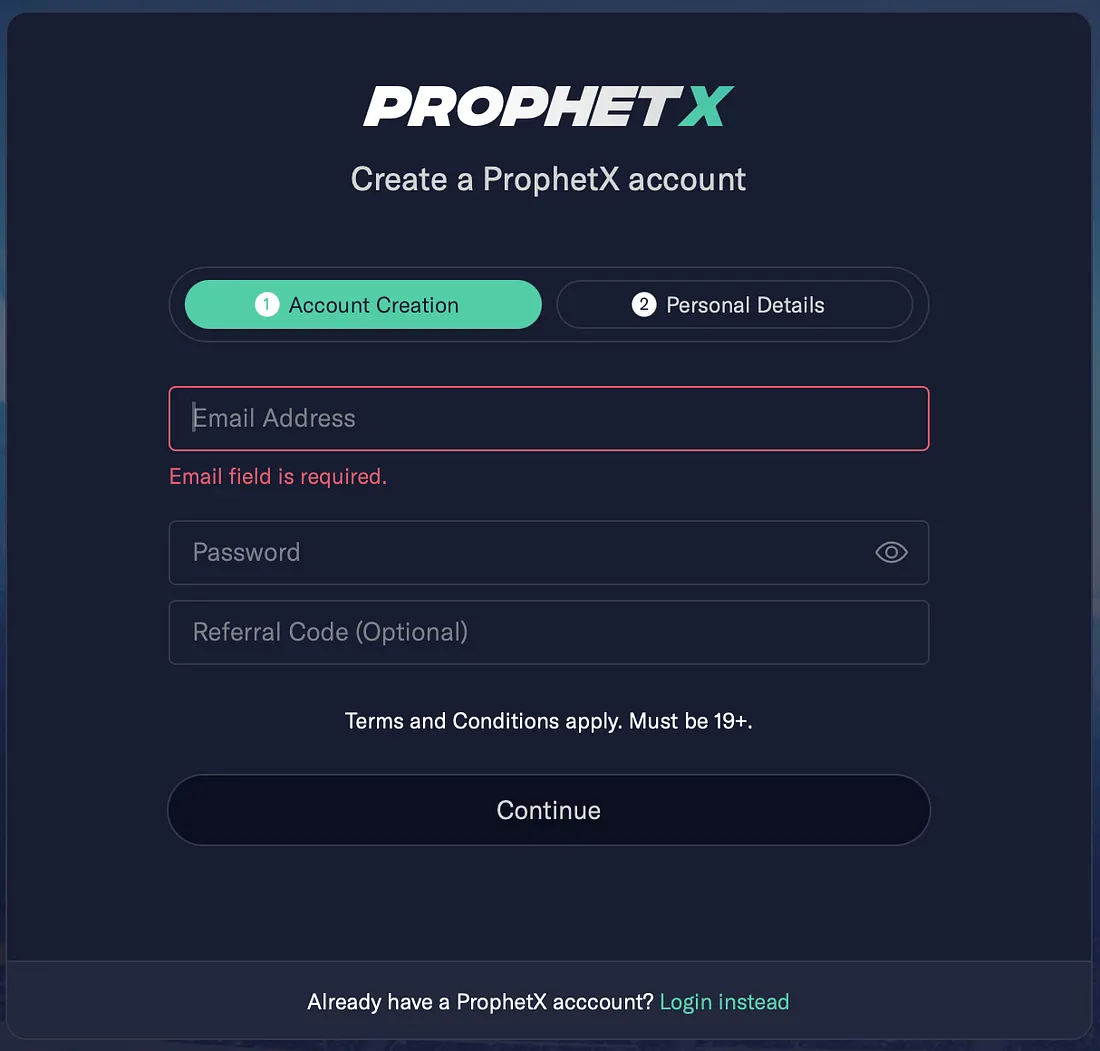
Since this is a sandbox environment, we do not need to worry if the birthday or address is wrong, but do make sure the phone number is correct as 2FA is needed even for the sandbox registration.
Contact us to request them to set your account to be an API account and add some testing funds. You can reach out to [email protected] or [email protected].
Generate API tokens
After your account is approved as an API account, you are ready to generate tokens for the API integrations.
-
Start a new session and log into ProphetX Sandbox with your credentials.
-
Click the top right toggle, navigate to the Menu side, and click “API integration” in the dropdown.
-
Click “create a new token”. You can create multiple tokens, and each token can have multiple sessions. This lets you use different tokens for different integration processes and revoke one token without affecting other integrations. In future updates, each token will also support different permissions for more specific access control.
Running more than one process concurrently (e.g. a trading bot and a separate monitoring tool)? Use a separate access key/secret pair for each. The session_num_exceed limit is enforced per access key, not per account — two processes sharing one key draw from that single key's session pool and can trip the limit on each other, while splitting them across two keys gives each its own independent pool. A couple of things worth knowing about that pool: calling /auth/login again on a key that already has a live, unexpired session adds a new session rather than replacing it, and revoking a token does not free its session slot — only the token's natural expiry does. So if a process re-authenticates repeatedly without waiting out prior tokens' expiry, it can burn through its own key's session limit by itself, independent of any other key.
Integration steps
GitHub code: API Integration Guide
API documents:
- Sandbox: API Documentation
Keys needed:
- Access Key: part of API key
- Secret Key: another part of the API key
- Base URL: Unique for each environment. Sandbox: https://api.sandbox.prophetx.dev/partner
Use participant, order, price, and quantity in your interface. Keep the literal /partner base path in your implementation until the API contract changes.
Major Steps:
- Exchange a session key by using Access Key and Secret Key
- (Optional) Get your current cash balance
- Seed events and markets for the tournaments you want to trade
- Subscribe to web sockets to get updates on events, market liquidity, prices, and more
- Start placing and canceling orders
Core trading model
Before you start submitting orders, a few things are easy to assume incorrectly if you're used to a traditional buy/sell order book.
There's no side flag — orders are buy-only. ProphetX doesn't have one instrument with a buy side and a sell side. Every outcome is its own tradeable instrument, and you always buy it. Buying "Chiefs -7.5" and buying "Colts +7.5" are two separate buy orders against two separate strike_ids — not two sides of the same book. On FIX, Side(54) only accepts Buy; Sell is rejected.
outcome_id, competitor_id, and strike_id serve different purposes:
| Field | Purpose |
|---|---|
outcome_id | Identifies the selection itself. Always present. |
competitor_id | Links a selection to a specific team. null on markets not tied to a single team (Yes/No, Over/Under, props). |
strike_id | The instrument identifier — this is what you actually trade. Use it as your instrument key end to end; outcome_id is useful for display/grouping, but strike_id is what you submit on submit_order (and what maps to Symbol(55) on FIX). |
The order book is aggregated, not per-order. Market data has no order ID or order-count field — quantity at a given price level is the total resting liquidity there, not tied to any individual order.
Going from an event to a strike_id (and back):
GET /mm/get_sport_events(optionally filtered bytournament_id) to find theevent_idyou want.GET /v4/mm/get_markets?event_id=...(orGET /v4/mm/get_multiple_markets?event_ids=...for a batch) to pull that event's markets —strike_idlives inside each market's selections.
Going the other direction — from a strike_id you already have back to its event_id/market_id — use GET /v4/mm/get_strikes?strike_ids=... (up to 20 at a time, comma-separated). It's for recovering context, not discovering strikes from an event.
Price format (American odds on REST market data; FIX order entry supports additional formats): see Market Data API and FIX Order Entry §3.
Step 1: Exchange Session Keys
Endpoint: POST /auth/login
Before we can call any other APIs, we need to exchange a short-lived (20 minutes) access token, and a relatively long-lived (3 days) refresh token using the access key and secret key combination. This access token needs to be provided for all following transactions, including subscribing to web sockets.
Example code:
def mm_login(self) -> dict:
    """
    Authenticate with the Trading API and store session keys in self.mm_session.
    """
    login_url = urljoin(self.base_url, config.URL['mm_login'])
    request_body = {
        'access_key': self.mm_keys.get('access_key'),
        'secret_key': self.mm_keys.get('secret_key'),
    }
    response = requests.post(login_url, data=json.dumps(request_body))
    if response.status_code != 200:
        logging.debug(response)
        logging.debug("Please check your access key and secret key to the user_info.json")
        raise Exception("login failed")
    mm_session = json.loads(response.content)['data']
    logging.info(mm_session)
    self.mm_session = mm_session
    logging.info("MM session started")
    return mm_session
Authentication in all APIs is through the header:
def __get_auth_header(self) -> dict:
    return {
        'Authorization': f'Bearer '
                         f'{self.mm_session["access_token"]}',
    }
Step 2: Optional: Get your current cash balance
Endpoint: GET /v4/mm/get_balance
Use this endpoint to retrieve your available cash balance.
Example code:
def get_balance(self):
    balance_url = urljoin(self.base_url, config.URL['mm_balance'])
    response = requests.get(balance_url, headers=self.__get_auth_header())
    if response.status_code != 200:
        logging.error("failed to get balance")
        return
    self.balance = json.loads(response.content).get('data', {}).get('balance', 0)
    logging.info(f"still have ${self.balance} left")
Step 3: Seed tournaments, events, markets, and prices
Endpoints:
GET /v4/mm/get_price_ladderGET /mm/get_tournamentsGET /mm/get_sport_eventsGET /v4/mm/get_marketsGET /v4/mm/get_multiple_markets
The get_tournaments endpoint returns a list of supported tournaments. Refer to “API documents” for the available options. The tournament ID is required to call the second endpoint get_sport_events and retrieve a list of events that are currently open for trading. You will also use the same tournament ID in the next step when subscribing to web socket channels for updates. In this example, the code finds a target tournament and then retrieves all active events for that tournament.
Example code:
def seeding(self):
    """Get the price ladder, as only orders with prices in the ladder are allowed.
    Get all tournament, event, and market details for each event.
    :return:
    """
    logging.info("start to get price ladder")
    price_ladder_url = urljoin(self.base_url, config.URL['mm_price_ladder'])
    price_response = requests.get(price_ladder_url, headers=self.__get_auth_header())
    if price_response.status_code != 200:
        logging.info("not able to get valid prices from api, fall back to local constants")
        self.valid_price = constants.VALID_PRICE_BACKUP
    else:
        self.valid_price = price_response.json()['data']

    # initiate available tournaments/sport_events
    # tournaments
    logging.info("start seeding tournaments/events/markets")
    t_url = urljoin(self.base_url, config.URL['mm_tournaments'])
    headers = self.__get_auth_header()
    all_tournaments_response = requests.get(t_url, headers=headers)
    if all_tournaments_response.status_code != 200:
        raise Exception("not able to seed tournaments")
    all_tournaments = json.loads(all_tournaments_response.content).get('data', {}).get('tournaments', {})
    self.all_tournaments = all_tournaments

    # get sport events and markets of each event
    event_url = urljoin(self.base_url, config.URL['mm_events'])
    multiple_markets_url = urljoin(self.base_url, config.URL['mm_multiple_markets'])
    for one_t in all_tournaments:
        if one_t['name'] in config.TOURNAMENTS_INTERESTED:
            self.my_tournaments[one_t['id']] = one_t
            events_response = requests.get(event_url, params={'tournament_id': one_t['id']}, headers=headers)
            if events_response.status_code == 200:
                events = json.loads(events_response.content).get('data', {}).get('sport_events')
                if events is None:
                    continue
                event_ids = ','.join([str(event['event_id']) for event in events])
                # instead of getting markets of one event at a time,
                # using get_multiple_markets to batch get markets of a list of events
                multiple_markets_response = requests.get(multiple_markets_url, params={'event_ids': event_ids},
                                                   headers=headers)
                if multiple_markets_response.status_code == 200:
                    map_market_by_event_id = json.loads(multiple_markets_response.content).get('data', {})
                    for event in events:
                        event['markets'] = map_market_by_event_id[str(event['event_id'])]
                        self.sport_events[event['event_id']] = event
                        logging.info(f'successfully retrieved markets for event {event["name"]}')
                else:
                    logging.info(f"failed to get markets for event ids: {', '.join([str(event['event_id']) for event in events])}")
            else:
                logging.info(f'skip tournament {one_t["name"]} as api request failed')
    logging.info("Done, seeding")
    logging.info(f"found {len(self.my_tournaments)} tournaments, ingested {len(self.sport_events)} "
                 f"events from {len(config.TOURNAMENTS_INTERESTED)} tournaments")
Step 4: Subscribe to WebSockets
Subscribe to web sockets to get updates on events and market liquidity. WebSocket is powered by Pusher (Pusher).
Get connection-config:
- Call
GET /websocket/connection-configto retrieve the Pusher connection details, including the key, app ID, and cluster.
Authorization endpoint: POST /v4/mm/websocket
To receive event and market liquidity updates, subscribe to the web socket and let the platform push those updates to you. There are two primary channels to subscribe to:
- Broadcast channel
(private-broadcast-service=6-device_type=5), where the same information is pushed to all listeners. - Private channel
(private-service=6-device_type=5-user=<partnerId>), where participant-specific order and trade updates are pushed through.
You do not need to construct these two channels explicitly. Call POST /v4/mm/websocket after the Pusher connection returns a socket_id to retrieve both channels and their available events.
The current channel name still includes <partnerId>. Treat that as a legacy API identifier rather than a UI term.
In this example, I subscribe to all tournament updates, but only provide a callback for the tournaments I care about by binding to a specific message topic. In this case, MLB has ID 109, so I bind to tournament_109.
Example code:
def _get_channels(self, socket_id: float):
    """
    Get a list of all channels and topics of each channel that you are allowing to subscribe to.
    Even though there are public and private channels, the channel id is unique for each API user.
    """
    auth_endpoint_url = urljoin(self.base_url, config.URL['mm_auth'])
    channels_response = requests.post(auth_endpoint_url,
                                      data={'socket_id': socket_id},
                                      headers=self.__get_auth_header())
    if channels_response.status_code != 200:
        logging.error("failed to get channels")
        raise Exception("failed to get channels")
    channels = channels_response.json()
return channels.get('data', {}).get('authorized_channel', [])def _get_connection_config(self):
"""
Get websocket connection configurations. We are using Pusher as our websocket service,
and only authenticated channels are used.
More details can be found in https://pusher.com/docs/channels/using_channels/user-authentication/.
The connection configuration is designed for stability and infrequent updates.
However, in the unlikely event of a Pusher cluster incident,
we will proactively migrate to a new cluster to ensure uninterrupted service.
To maintain optimal connectivity, we recommend users retrieve the latest connection configuration
at least once every thirty minutes. If the retrieved configuration remains unchanged,
no further action is required. In the event of a new configuration being discovered,
users should update their connection accordingly.
"""
connection_config_url = urljoin(self.base_url, config.URL['websocket_config'])
connection_response = requests.get(connection_config_url, headers=self.__get_auth_header())
if connection_response.status_code != 200:
logging.error("failed to get connection configs")
raise Exception("failed to get channels")
conn_configs = connection_response.json()
return conn_configs
def subscribe(self):
"""
1. Get Pusher connection configurations
2. Connect to Pusher websocket service by providing authentication credentials
3. Wait for the websocket connection successful handshake and then execute connect_handler in the callback
4. Subscribe to public channels on selected topics
5. Subscribe to private channels on all topics
"""
connection_config = self._get_connection_config() # not working yet, getting wrong config
key = connection_config['key']
cluster = connection_config['cluster']
auth_endpoint_url = urljoin(self.base_url, config.URL['mm_auth'])
auth_header = self.__get_auth_header()
auth_headers = {
"Authorization": auth_header['Authorization'],
"header-subscriptions": '''[{"type":"tournament","ids":[]}]''',
}
self.pusher = pysher.Pusher(
key=key,
cluster=cluster,
auth_endpoint=auth_endpoint_url,
auth_endpoint_headers=auth_headers,
)
def public_event_handler(*args, **kwargs):
print("processing public, Args:", args)
print(f"event details {base64.b64decode(json.loads(args[0]).get('payload', '{}'))}")
print("processing public, Kwargs:", kwargs)
def private_event_handler(*args, **kwargs):
print("processing private, Args:", args)
print(f"event details {base64.b64decode(json.loads(args[0]).get('payload', '{}'))}")
print("processing private, Kwargs:", kwargs)
# We can't subscribe until we've connected, so we use a callback handler
# to subscribe when able
def connect_handler(data):
socket_id = json.loads(data)['socket_id']
available_channels = self._get_channels(socket_id)
broadcast_channel_name = None
private_channel_name = None
private_events = None
for channel in available_channels:
if 'broadcast' in channel['channel_name']:
broadcast_channel_name = channel['channel_name']
else:
private_channel_name = channel['channel_name']
private_events = channel['binding_events']
broadcast_channel = self.pusher.subscribe(broadcast_channel_name)
private_channel = self.pusher.subscribe(private_channel_name)
for t_id in self.my_tournaments:
event_name = f'tournament_{t_id}'
broadcast_channel.bind(event_name, public_event_handler)
logging.info(f"subscribed to public channel, event name: {event_name}, successfully")
for private_event in private_events:
private_channel.bind(private_event['name'], private_event_handler)
logging.info(f"subscribed to private channel, event name: {private_event['name']}, successfully")
self.pusher.connection.bind('pusher:connection_established', connect_handler)
self.pusher.connect()Step 5: Submit and cancel orders
Endpoints:
POST /v4/mm/submit_orderPOST /v4/mm/cancel_orderPOST /v4/mm/submit_multiple_ordersPOST /v4/mm/cancel_multiple_orders
The submit_order and submit_multiple_orders endpoints require a unique external_id for each request. If the same external_id is used for different transactions, only the first request succeeds. The remaining requests are rejected, which prevents duplicate order submission.
If you run multiple strategies or bots under one account, see Self-Matching Prevention — an incoming order that would cross your own resting order on the same account doesn't match; both orders are wiped instead.
order_strategy — optional execution modifiers. Set this field on submit_order or (per-item, even inside a batch) submit_multiple_orders to change how an order behaves instead of the default plain limit order. Omit it entirely for a normal order that can either fill immediately or rest on the book — the two values below are mutually exclusive, so you can't combine them on the same order:
fillOrKill— fills whatever is available at or better than your price, then cancels the rest. It is not all-or-nothing: a partial fill is kept, and only the unfilled remainder is canceled, roughly 2 seconds after the order's last activity. There's no all-or-none option and no immediate (synchronous) kill today — the remainder briefly rests atstatus: openuntil the kill sweep removes it. Because the ~2s timer runs from the most recent fill rather than from placement, a remainder that keeps picking up small partial fills can stay open longer than 2 seconds. Poll the order (or use the WebSocket) untilopen_quantityis0rather than assuming it's done after a fixed delay, and don't treat thesubmit_orderresponse itself as the final state. Note that when a partially filled order's remainder is killed, the order is not markedcanceled:quantityis rewritten down to the filled amount,matching_statusbecomesfully_matched, andstatusstaysopen(it's a live position). Only an order with no fill at all ends asstatus: canceled. Comparequantityto what you submitted to detect a partial.ALO(Add-Liquidity-Only, also referred to as Post Only) — the order only ever rests as a maker. It's accepted immediately (status: open), but if it would otherwise cross and immediately match existing resting liquidity, it's rejected asynchronously on the next matching pass instead of filling as a taker — you'll see it come back withstatus: wiped. If part of it had already legitimately filled before the cross was caught, that fill stands; only the unfilled remainder is wiped. An ALO fill is always reserved at maker-fee pricing.
One current limitation: the order response has no field identifying why an order was wiped, so an ALO-cross rejection looks identical to any other wiped order via the API. If you need to confirm the cause for a specific order, contact your ProphetX integration contact with the order ID.
The cancel_order and cancel_multiple_orders endpoints require the same external_id used to submit the order, plus the order_id returned from submit_order.
Order rejection reference
Every rejection returns an HTTP error status plus an error code string in the response body. This section lists exactly which codes each endpoint can actually return — code-verified against the trade backend, not just the general error-code reference.
Creating an order (submit_order, submit_multiple_orders — per-item in a batch):
| Code | HTTP | Meaning |
|---|---|---|
invalid_strike_id | 400 | strike_id is missing or empty |
invalid_quantity | 400 | quantity is missing or not greater than zero |
invalid_external_id | 400 | external_id is missing or malformed |
invalid_aggregator_id | 400 | aggregator_id is malformed |
order_limit_exceeded | 400 | more than 20 orders in one batch request |
err_order_placement_disabled | 403 | order placement is currently disabled (maintenance mode) |
strike_id_invalid | 400 | strike_id doesn't resolve to a real market line |
invalid_price | 400 | price fails validation (e.g. doesn't convert to an exact integer American odds value) |
order_invalid_profit | 400 | the profit calculated from price and quantity is too small — adjust either and retry |
event_not_available | 400 | the event/market is not currently available for trading |
market_is_only_for_prematch | 400 | the market isn't allowed for a live (in-progress) event |
supplemental_market_pre_match_only | 400 | a supplemental market (e.g. sup_moneyline) after the event has already started |
order_external_id_existed | 400 | you already have an order with this external_id |
sport_event_is_not_booked | 400 | the event isn't booked for trading |
sport_event_competitor_blacklisted | 400 | one of the event's competitors is blacklisted |
order_ref_id_existed | 400 | an internal reference collision — extremely rare, not something you can trigger directly |
order_unable_to_place | 500 | unhandled internal error |
Canceling an order — this genuinely behaves differently depending which endpoint you call:
cancel_order / cancel_multiple_orders (per-order, by order_id):
| Code | HTTP | Meaning |
|---|---|---|
invalid_order_id | 400 | order_id is missing or empty |
invalid_external_id | 400 | external_id is missing or empty |
order_limit_exceeded | 400 | more than 20 orders in one batch cancel request |
data_not_found | 404 | order not found |
order_not_belongs_to_user | 400 | the order belongs to a different account |
order_is_placing | 409 | the order is still inside its post-placement delay window — try again shortly |
order_is_not_cancellable | 400 | the order originated from a market order and can't be cancelled directly |
order_not_matching_external_id | 400 | the external_id you supplied doesn't match the one stored on this order |
order_is_invalid | 400 | the order's status is Invalid |
order_already_filled | 400 | the order is already fully matched |
order_already_cancelled | 400 | the order is already cancelled |
order_opened_retry | 425 | the order is in its first matching pass right after submission — retry after ~300ms (we already auto-retry this once on our side before it reaches you) |
order_is_matching | 409 | a matching deduction is currently in progress for this order — retry shortly |
order_unable_to_cancel | 500 | unhandled internal error |
cancel_orders_by_event / cancel_orders_by_market (filter-based): per-order states like already-filled or already-cancelled are silently skipped rather than raised as errors, so this pair of endpoints only ever returns:
| Code | HTTP | Meaning |
|---|---|---|
invalid_event_id | 400 | event_id is missing or zero |
invalid_market_id | 400 | market_id is missing or zero (market cancel only) |
data_not_found | 404 | no orders matched the given event/market filter — not no_cancellable_orders, despite the similar intent |
strike_id_invalid | 400 | (market cancel with strike_id set) the strike doesn't belong to the given market/event |
order_unable_to_cancel | 500 | unhandled internal error |
cancel_all_orders is asynchronous — it returns 200 immediately and cancels in the background. no_cancellable_orders (404) is the only rejection reachable synchronously, and it's the only endpoint where you'll actually see that specific code:
| Code | HTTP | Meaning |
|---|---|---|
no_cancellable_orders | 404 | you have no open orders to cancel |
internal_error | 500 | the request to enqueue the cancellation failed |
A few cases currently fall back to a generic invalid_request (400) instead of a specific code — worth knowing if you're branching your error handling on the code string: an Add-Liquidity-Only order rejected because ALO is disabled, an order blocked by an account-level risk/exposure hold, an order below the minimum stake, and a cancel_orders_by_market call where strike_id doesn't resolve at all. These are being tracked internally; in the meantime, treat an unrecognized invalid_request on an otherwise-valid-looking order as one of these rather than a client-side mistake.
Because this is a sandbox environment used to test a sample but working integration, this example only submits random $1 orders on random events in the moneyline market and then randomly cancels some of them after 8 seconds.
Example code:
def start_playing(self):
    """
    Submit orders through the single-order and multiple-order Trading API endpoints.
    :return: Order ids returned from the API are stored in a class object for order cancellation examples.
    """
    logging.info("Start submitting sample orders")
    order_url = urljoin(self.base_url, config.URL['mm_place_order'])
    batch_order_url = urljoin(self.base_url, config.URL['mm_batch_place'])
    if '.prophetx.co' in order_url:
        raise Exception("only allowed to run in non production environment")
    for key in self.sport_events:
        one_event = self.sport_events[key]
        for market in one_event.get('markets', []):
            if market['type'] == 'moneyline':
                # only submit orders on moneyline
                if random.random() < 0.3:   # 30% chance to submit an order
                    for selection in market.get('selections', []):
                        if random.random() < 0.3: #30% chance to submit an order
                            price_to_order = self.__get_random_price()
                            external_id = str(uuid.uuid1())
                            logging.info(f"submitting order on '{one_event['name']}' on moneyline, side {selection[0]['name']} at price {price_to_order}")
                            body_to_send = {
                                'external_id': external_id,
                                'strike_id': selection[0]['strike_id'],
                                'price': price_to_order,
                                'quantity': 1.0
                            }
                            order_response = requests.post(
                                order_url,
                                json=body_to_send,
                                headers=self.__get_auth_header(),
                            )
                            if order_response.status_code != 200:
                                logging.info(f"failed to place order, error {order_response.content}")
                            else:
                                logging.info("successfully")
                                self.orders[external_id] = json.loads(order_response.content).get('data', {})['order']['id']
                            # testing batch order placement
                            batch_n = 3
                            external_id_batch = [str(uuid.uuid1()) for x in range(batch_n)]
                            batch_body_to_send = [{
                                'external_id': external_id_batch[x],
                                'strike_id': selection[0]['strike_id'],
                                'price': price_to_order,
                                'quantity': 1.0
                            } for x in range(batch_n)]
                            batch_order_response = requests.post(
                                batch_order_url,
                                json={"data": batch_body_to_send},
                                headers=self.__get_auth_header(),
                            )
                            if batch_order_response.status_code != 200:
                                logging.info(f"failed to place order, error {order_response.content}")
                            else:
                                logging.info("successfully")
                                for order in batch_order_response.json()['data']['succeed_orders']:
self.orders[order['external_id']] = order['id']def random_cancel_order(self):
order_keys = list(self.orders.keys())
for key in order_keys:
order_id = self.orders[key]
cancel_url = urljoin(self.base_url, config.URL['mm_cancel_order'])
if random.random() < 0.5: # 50% cancel
logging.info("start to cancel order")
body = {
'external_id': key,
'order_id': order_id,
}
response = requests.post(cancel_url, json=body, headers=self.__get_auth_header())
if response.status_code != 200:
if response.status_code == 404:
logging.info("already cancelled")
self.orders.pop(key)
else:
logging.info("failed to cancel")
else:
logging.info("cancelled successfully")
self.orders.pop(key)Use this sandbox workflow to validate your Trading API integration before moving to production.
Updated 6 days ago